
Customer Experience
Microsoft Dynamics 365 Customer Service
Product Overview
Deliver Enterprise-Grade Customer Service That Builds Long-Term Loyalty
Customers remember how you resolve their problems just as much as they remember the products or services you sell.
As organizations grow, customer service becomes increasingly complex. Requests arrive through multiple channels, support teams become larger, service processes become more specialized, and customer expectations continue to rise. Without the right platform, service teams struggle with fragmented information, inconsistent service delivery, slow resolution times, and limited visibility into customer satisfaction.
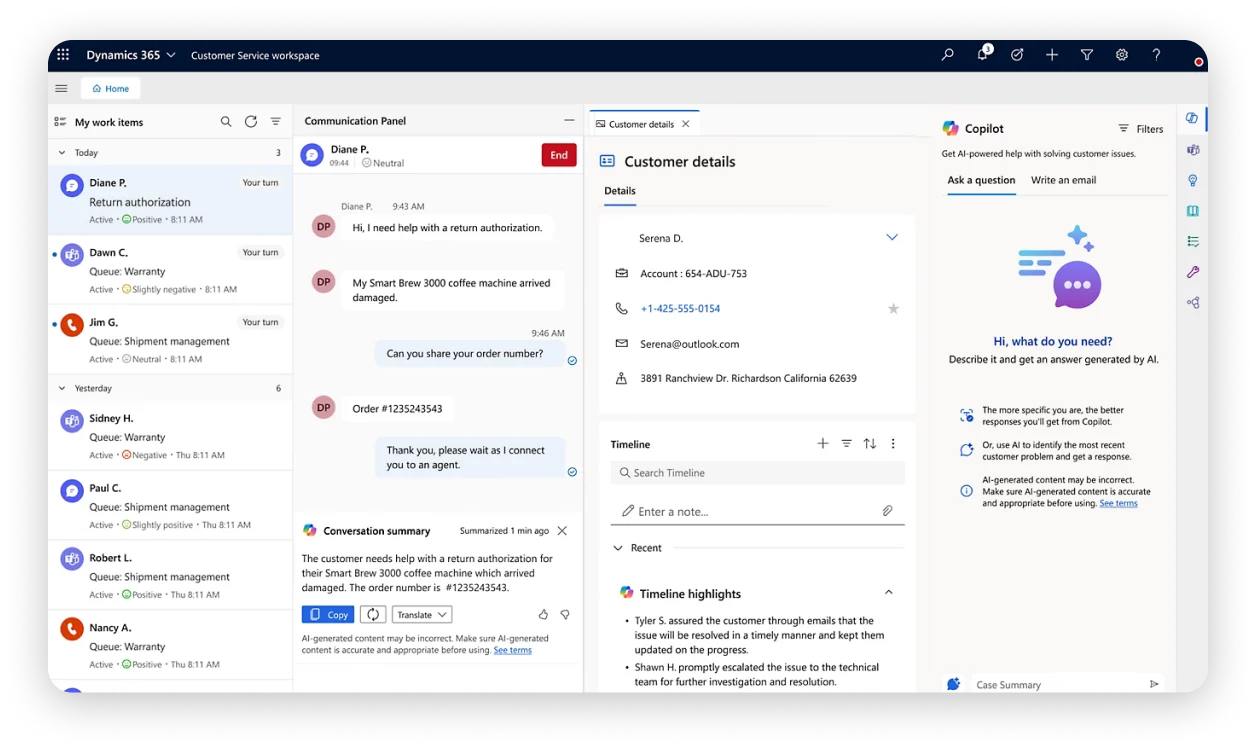
Microsoft Dynamics 365 Customer Service helps organizations deliver intelligent, personalized, and consistent customer support across every interaction. It centralizes customer cases, empowers agents with AI-driven recommendations, and provides management with complete visibility into service performance.
Powerful business management & accounting solution
Microsoft Dynamics 365 Customer Service is an enterprise customer service platform that enables organizations to manage customer enquiries, complaints, service requests, and case resolution through a unified and intelligent service environment.
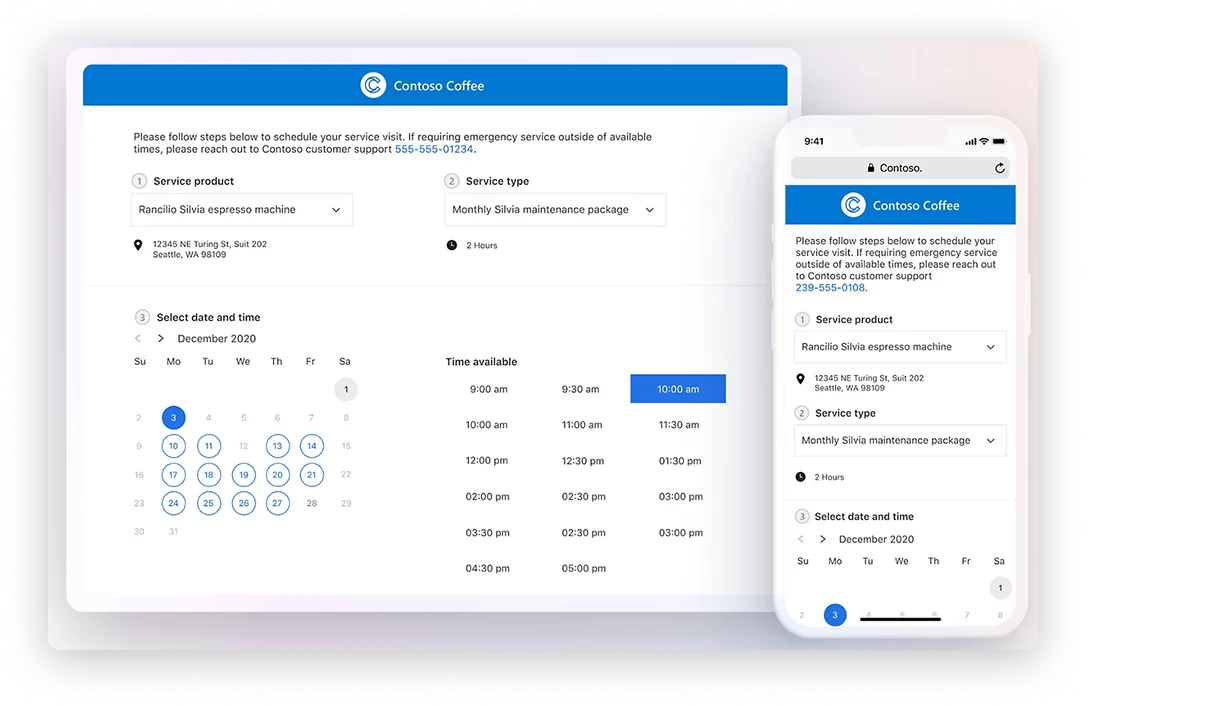
The platform combines case management, knowledge management, omnichannel engagement, AI-powered assistance, service automation, SLAs, and advanced analytics to help organizations improve customer satisfaction while increasing agent productivity.
Unlike traditional help desk systems that focus primarily on ticket management, Dynamics 365 Customer Service provides a complete customer service ecosystem capable of supporting complex enterprise support operations, regulatory environments, and large-scale customer service organizations. It is particularly suited for financial institutions, telecommunications companies, healthcare providers, government agencies, utilities, manufacturing organizations, and enterprises delivering mission-critical customer services.
Why Businesses Choose Dynamics 365 Customer Service
Organizations implement Dynamics 365 Customer Service when they want to:
- Standardize enterprise customer service operations.
- Improve first-contact resolution.
- Deliver consistent service across multiple channels.
- Empower agents with AI-assisted support.
- Meet complex service level commitments.
- Gain enterprise-wide visibility into customer service performance.
Key Features
Powerful Capabilities for Enterprise Customer Service
- Enterprise Case Management
Manage your general ledger, accounts receivable, accounts payable, fixed assets, cashbook, budgeting, tax, and bank reconciliation from one centralized system.
Business Benefit
Ensure every customer issue is tracked, assigned, and resolved consistently across the organization.
- Omnichannel Customer Engagement
Monitor inventory quantities, valuation, stock movements, warehouse transfers, serial numbers, and batch-controlled items with complete visibility.
Business Benefit
Deliver seamless customer experiences regardless of how customers choose to engage.
- AI-Powered Copilot Assistance
Microsoft Copilot helps agents summarize cases, recommend responses, generate knowledge suggestions, and accelerate issue resolution.
Business Benefit
Increase agent productivity while reducing customer wait times.
- Knowledge Management
Create centralized knowledge articles, troubleshooting guides, policies, and standard operating procedures for agents and customer self-service.
Business Benefit
Improve service consistency while reducing repetitive enquiries.
- Service Level Agreement (SLA) Management
Support light manufacturing through Bill of Materials (BOM), production planning, material usage, and finished goods management.
Business Benefit
Maintain service quality while meeting contractual obligations and customer expectations.
- Intelligent Routing
Automatically assign customer cases based on agent skills, workload, department, priority, language, or product expertise.
Business Benefit
Ensure customers are connected to the most qualified support representative.
- Customer Service Analytics
Generate customizable dashboards, financial reports, operational summaries, and performance analytics using real-time business data.
Business Benefit
Enable service leaders to make informed decisions using real-time operational intelligence.
- Microsoft Ecosystem Integration
Extend your solution with additional modules such as CRM integration, payroll integration, point of sale, and advanced reporting as your business grows.
Business Benefit
Protect your investment by adding new capabilities without replacing your entire system.
Common Business Scenarios
When Your Organization Needs Dynamics 365 Customer Service
Dynamics 365 Customer Service is ideal for organizations facing challenges such as:
Customer Support Is Spread Across Multiple Systems
Different departments use separate tools for customer communication, making it difficult to maintain a complete view of customer interactions.
Complex Cases Require Better Coordination
Customer issues often involve multiple departments, approvals, or specialist teams, requiring structured case management and collaboration.
Service Performance Is Difficult to Measure
Management lacks visibility into case backlogs, SLA compliance, customer satisfaction, and agent performance.
Customers Expect Faster Resolution
Increasing customer expectations require intelligent automation and AI-assisted service delivery to reduce response and resolution times.
Your Organization Operates at Enterprise Scale
You need a customer service platform capable of supporting multiple business units, locations, products, and thousands of customer interactions.
Business Benefits
Measurable Improvements Across Your Organization
Standardizes Enterprise Customer Service Operations
Establish consistent service processes, case handling procedures, and quality standards across all departments and locations.
Improves First-Contact Resolution
Equip agents with the knowledge, tools, and AI assistance needed to resolve customer issues during the first interaction.
Enhances Customer Satisfaction and Loyalty
Deliver personalized, responsive, and consistent service experiences that strengthen long-term customer relationships.
Increases Agent Productivity Through AI
Leverage Microsoft Copilot and intelligent automation to reduce manual effort and accelerate case resolution.
Strengthens SLA Compliance
Automate escalation rules, response targets, and notifications to consistently meet service level commitments.
Provides Enterprise-Wide Service Visibility
Monitor case volumes, agent performance, customer satisfaction, and operational trends through real-time dashboards and analytics.
Supports Secure, Scalable Customer Service Operations
Scale your service platform across multiple business units, locations, and thousands of daily customer interactions with enterprise-grade security.
Integrates Seamlessly with the Microsoft Ecosystem
Connect customer service operations with Microsoft Teams, Outlook, Power BI, Dynamics 365, and Azure for a unified enterprise environment.
Why Excellium
Why Implement Dynamics 365 Customer Service with Excellium?
Enterprise customer service transformation requires more than software implementation—it requires carefully designed service processes, governance, automation, integrations, and change management. At Excellium, we work closely with your customer service, operations, and IT teams to design a solution that aligns with your service model, compliance requirements, and customer experience objectives.
Customer Service Process Assessment
We evaluate your current service workflows, escalation processes, case handling procedures, SLAs, customer communication channels, and reporting requirements.
Solution Configuration
We configure case management processes, service queues, departments, business rules, workflows, SLAs, knowledge management, customer portals, and security roles.
Microsoft Ecosystem Integration
We integrate Dynamics 365 Customer Service with Microsoft Teams, Outlook, Power BI, Power Automate, Dynamics 365 Sales, ERP solutions, telephony platforms, and other enterprise applications.
AI & Automation Enablement
We configure Microsoft Copilot, automated workflows, intelligent routing, approvals, notifications, and service automation to improve operational efficiency.
User Training
We provide role-based training for customer service agents, supervisors, administrators, executives, and IT teams to ensure successful adoption.
Frequently Asked Questions
Questions About Dynamics 365 Customer Service?
Who is Dynamics 365 Customer Service designed for?
Microsoft Dynamics 365 Customer Service is designed for growing small and medium-sized businesses that require more than basic accounting software but do not yet need the complexity of enterprise ERP systems.
How is Dynamics 365 Customer Service different from a traditional help desk?
Yes. It offers robust inventory management capabilities, including warehouse management, serial and batch tracking, stock valuation, and inventory reporting.
Does the platform support AI?
Yes. The solution includes Bill of Materials (BOM) and light manufacturing functionality, making it suitable for businesses that need to manage production processes and manufacturing costs.
Can Dynamics 365 Customer Service integrate with Microsoft 365?
Yes. It can integrate with payroll systems, CRM solutions, business intelligence tools, point-of-sale systems, and other third-party applications, depending on your business requirements.
Can the platform support multiple departments and business units?
Absolutely. Microsoft Dynamics 365 Customer Service is modular, allowing you to add new functionality as your business grows without replacing the core system.
Can customers access self-service resources?
Implementation timelines vary based on the scope of the project, modules selected, data setup requirements, and business complexity. Excellium provides a tailored implementation plan after assessing your requirements.
How long does implementation take?
Microsoft Dynamics 365 Customer Service is ideal for growing businesses seeking an integrated financial and operational management solution with modular flexibility. Sage 300cloud is better suited for larger organizations with more complex requirements, such as multi-company consolidation, advanced international operations, and higher transaction volumes.
Elevate Customer Service Across Your Enterprise
Deliver faster resolutions, empower your service teams with AI, and create customer experiences that strengthen loyalty. Partner with Excellium to implement Microsoft Dynamics 365 Customer Service and build a modern support operation designed for growth.