
Customer Experience
Zoho Desk
Product Overview
Deliver Customer Support That Builds Loyalty
Exceptional customer service doesn’t end when a sale is made—it begins there.
Today’s customers expect fast responses, consistent communication, and seamless support across email, phone, live chat, social media, and messaging channels. When customer requests are scattered across inboxes, spreadsheets, WhatsApp chats, or individual employees, issues are easily overlooked, response times increase, and customer satisfaction declines.
Zoho Desk helps businesses centralize every customer interaction into one intelligent help desk platform. It enables support teams to manage requests efficiently, automate service workflows, meet service commitments, and consistently deliver exceptional customer experiences.
Whether you’re supporting hundreds or thousands of customers, Zoho Desk helps you provide service that strengthens customer trust and long-term loyalty.
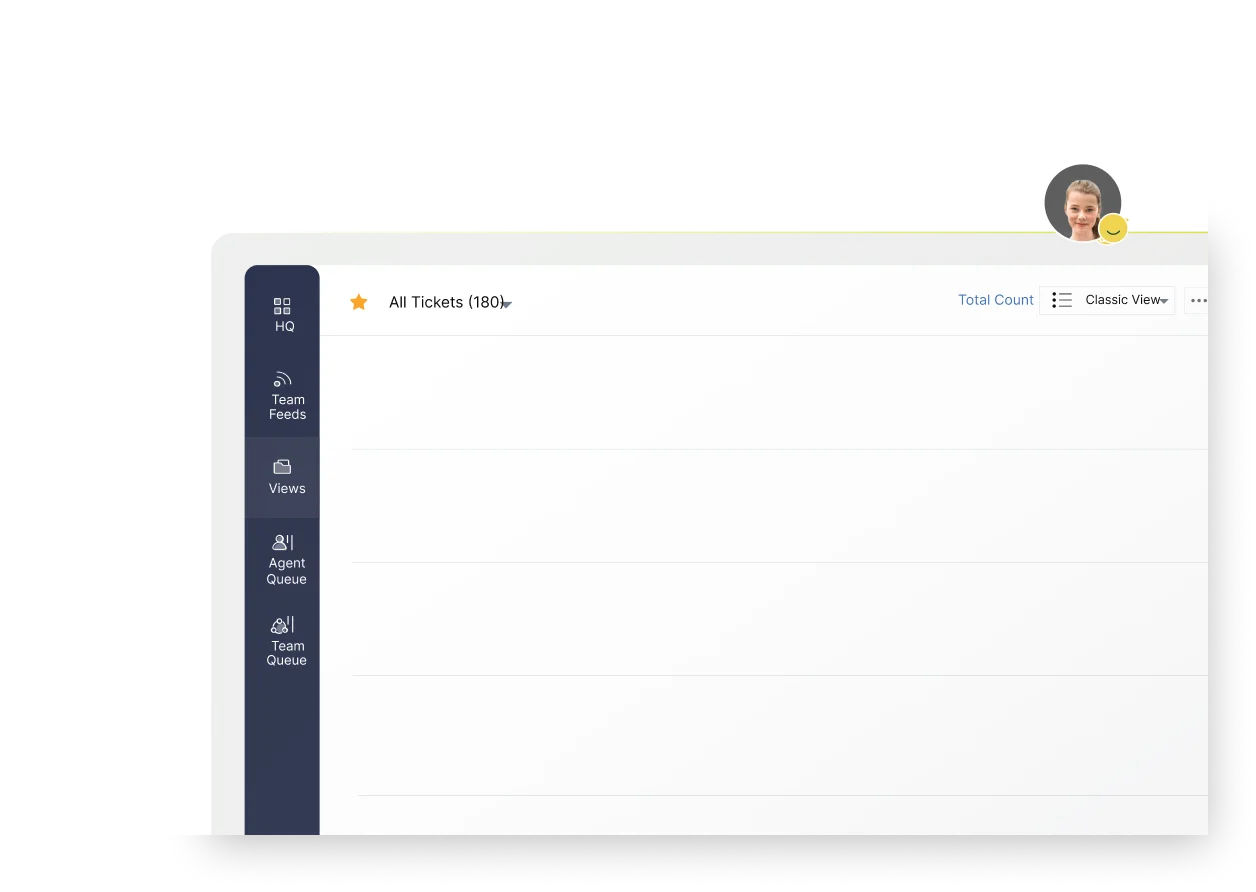
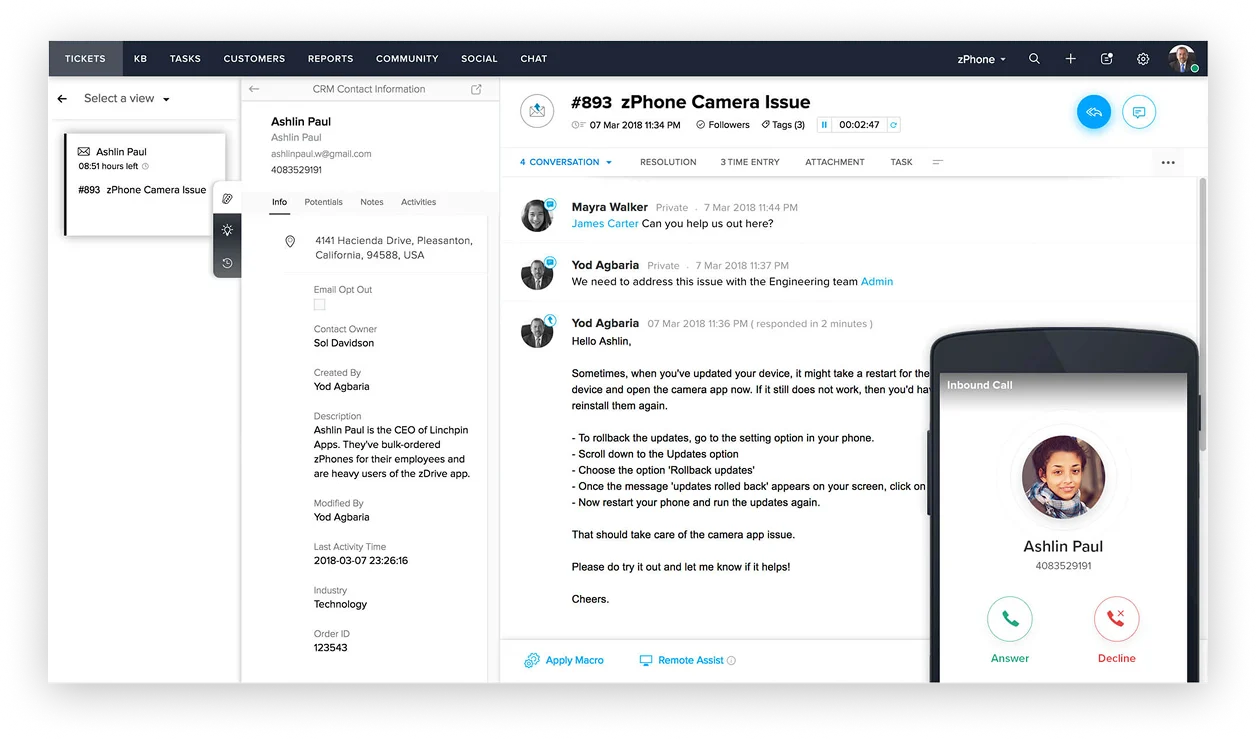
Intelligent Customer Service Management
Zoho Desk is a cloud-based customer service and help desk platform designed to help organizations manage customer enquiries, complaints, service requests, and support operations from a single centralized workspace.
It enables businesses to receive, assign, prioritize, track, and resolve customer issues across multiple communication channels while providing complete visibility into every customer interaction.
Unlike a shared support inbox, Zoho Desk gives every support request a structured lifecycle, ensuring accountability, faster resolution times, and consistent customer service standards.
The platform is ideal for businesses that want to improve customer satisfaction, increase support team productivity, and create long-lasting customer relationships.
Why Businesses Choose Zoho Desk
Organizations implement Zoho Desk when they want to:
- Centralize customer support operations.
- Improve response and resolution times.
- Deliver consistent support across multiple channels.
- Meet Service Level Agreements (SLAs).
- Empower customers with self-service options.
- Gain visibility into customer service performance.
Key Features
Essential Capabilities for Every Support Function
- Omnichannel Ticket Management
Automatically convert customer enquiries from email, phone, live chat, web forms, social media, and messaging platforms into structured support tickets.
Business Benefit
Ensure every customer request is captured, tracked, and managed through a consistent support process.
- Intelligent Ticket Assignment
Automatically assign tickets to the appropriate support agent or department based on skills, priority, product, location, or predefined business rules.
Business Benefit
Reduce response times while ensuring customers reach the right support team faster.
- Service Level Agreement (SLA) Management
Define response and resolution targets, automate escalations, and monitor SLA performance across support teams.
Business Benefit
Improve service consistency while ensuring customer commitments are consistently met.
- Knowledge Base & Self-Service Portal
Create searchable knowledge articles, FAQs, user guides, and customer portals that enable customers to resolve common issues independently.
Business Benefit
Reduce support volume while giving customers instant access to answers.
- Workflow Automation
Automate ticket routing, approvals, notifications, escalations, follow-ups, and repetitive service tasks.
Business Benefit
Increase support team productivity while reducing manual administration.
- AI-Powered Assistance (Zia)
Leverage AI to suggest knowledge articles, analyze customer sentiment, recommend responses, and assist support agents with routine enquiries.
Business Benefit
Improve agent efficiency while delivering faster, more personalized customer support.
- Customer Service Analytics
Track ticket volumes, first response times, resolution times, customer satisfaction, SLA compliance, agent performance, and support trends through interactive dashboards.
Business Benefit
Identify improvement opportunities and continuously enhance service delivery.
- Customer Context Integration
View customer history, previous interactions, purchases, and CRM information directly within the support workspace.
Business Benefit
Enable agents to deliver personalized support without asking customers to repeat information.
Common Business Scenarios
Is Zoho Desk Right for You?
Zoho Desk is ideal for businesses that need to solve challenges such as:
Customer Requests Are Scattered Across Multiple Channels
Support enquiries arrive through email, phone calls, WhatsApp, live chat, and social media, making it difficult to track requests and maintain service quality.
Customer Complaints Take Too Long to Resolve
Without structured workflows and accountability, customer issues remain unresolved longer than expected, leading to dissatisfaction.
Management Has No Visibility into Support Performance
Leadership cannot accurately measure response times, ticket backlogs, customer satisfaction, or agent productivity.
Customers Keep Asking the Same Questions
Support teams spend significant time answering repetitive enquiries that could easily be handled through self-service resources.
Your Business Is Growing
As customer volumes increase, your support operation needs a scalable platform that maintains service quality without increasing operational complexity.
Business Benefits
Measurable Improvements Across Your Organization
Centralizes customer support across all channels
Integrate communications into a single workspace, ensuring every issue is visible and resolved.
Improves response and resolution times
Resolve customer queries faster through intelligent routing and robust escalation engines.
Enhances customer satisfaction and loyalty
Keep customers happy with consistent, reliable assistance tailored to their operational context.
Automates repetitive service processes
Minimize manual tasks and save time so support reps can focus on complex client demands.
Supports SLA compliance and service governance
Fulfill service agreements systematically with integrated tracking, warning alerts, and analytics.
Reduces support workload through self-service
Empower clients to search for answers in categorized portals, reducing routine inbound traffic.
Provides actionable customer service insights
Track support bottlenecks and performance trends via interactive analytics dashboards.
Enables scalable customer support operations
Expand support capabilities easily without adding organizational complexity or administrative overhead.
Why Excellium
Why Implement Zoho Desk with Excellium?
Customer service technology delivers the greatest value when it reflects your support processes, escalation procedures, service standards, and customer experience strategy. At Excellium, we work closely with your service teams to design a help desk environment that improves efficiency while delivering a consistent and professional customer experience.
Customer Service Process Assessment
We evaluate your current support workflows, ticket handling procedures, escalation policies, service levels, and reporting requirements to design the right solution.
Help Desk Configuration
We configure departments, ticket categories, priorities, workflows, SLAs, automation rules, business hours, escalation policies, email templates, and customer portals.
Knowledge Base Development
We help structure your customer knowledge base, FAQs, troubleshooting guides, and self-service content to reduce repetitive support requests.
User Training
We provide practical, role-based training for support agents, supervisors, managers, and administrators to ensure successful adoption and efficient day-to-day operations.
System Integrations
We integrate Zoho Desk with Zoho CRM, Zoho SalesIQ, Zoho Voice, Zoho FSM, ERP systems, websites, email platforms, and other business applications to create a connected customer experience.
Ongoing Support & Optimization
As your customer service operation evolves, Excellium continues to optimize workflows, reporting, automation, and integrations to help you deliver exceptional customer experiences.
Frequently Asked Questions
Questions About Zoho Desk?
What is Zoho Desk used for?
Zoho Desk is a customer service and help desk platform that helps organizations manage customer enquiries, complaints, service requests, and support operations from one centralized system.
Can Zoho Desk support multiple communication channels?
Yes. Zoho Desk consolidates customer interactions from email, phone, live chat, web forms, social media, and other supported communication channels into one unified support platform.
Can we define response time commitments?
Yes. Zoho Desk allows organizations to configure Service Level Agreements (SLAs), automate escalations, and monitor compliance with defined response and resolution targets.
Can customers resolve issues themselves?
Yes. Zoho Desk includes a self-service portal and knowledge base where customers can search articles, FAQs, and troubleshooting guides before contacting support.
Does Zoho Desk integrate with Zoho CRM?
Absolutely. Zoho Desk integrates seamlessly with Zoho CRM, allowing support agents to access customer profiles, purchase history, and previous interactions without switching between applications.
Can Zoho Desk automate repetitive support tasks?
Yes. Ticket assignment, notifications, escalations, approvals, follow-ups, and many other service processes can be automated using configurable workflows.
How long does implementation take?
Implementation timelines depend on the complexity of your support processes, workflows, integrations, and migration requirements. Excellium develops an implementation plan tailored to your organization’s customer service needs.
Turn Every Support Interaction into a Competitive Advantage
Deliver faster responses, improve customer satisfaction, and build stronger customer relationships with a modern help desk platform designed for growing businesses. Partner with Excellium to implement Zoho Desk and transform the way you support your customers.