
Field Service & Operations
Microsoft Dynamics 365 Field Service
Product Overview
Deliver Predictive, Connected, and Intelligent Field Service
Field service is no longer just about sending a technician to a customer site. Today’s organizations are expected to deliver faster response times, maximize technician productivity, minimize equipment downtime, and provide exceptional customer experiences—all while controlling operational costs.
When work orders are managed manually or across disconnected systems, organizations face delayed dispatches, missed appointments, inefficient routing, poor asset visibility, and inconsistent service delivery.
Microsoft Dynamics 365 Field Service enables organizations to transform field operations through intelligent scheduling, AI-driven recommendations, IoT-enabled predictive maintenance, mobile workforce management, and seamless integration with the Microsoft business ecosystem.
Whether you maintain industrial equipment, service critical infrastructure, manage utilities, support healthcare devices, or deliver nationwide maintenance services, Dynamics 365 Field Service helps you optimize every field operation while improving customer satisfaction.
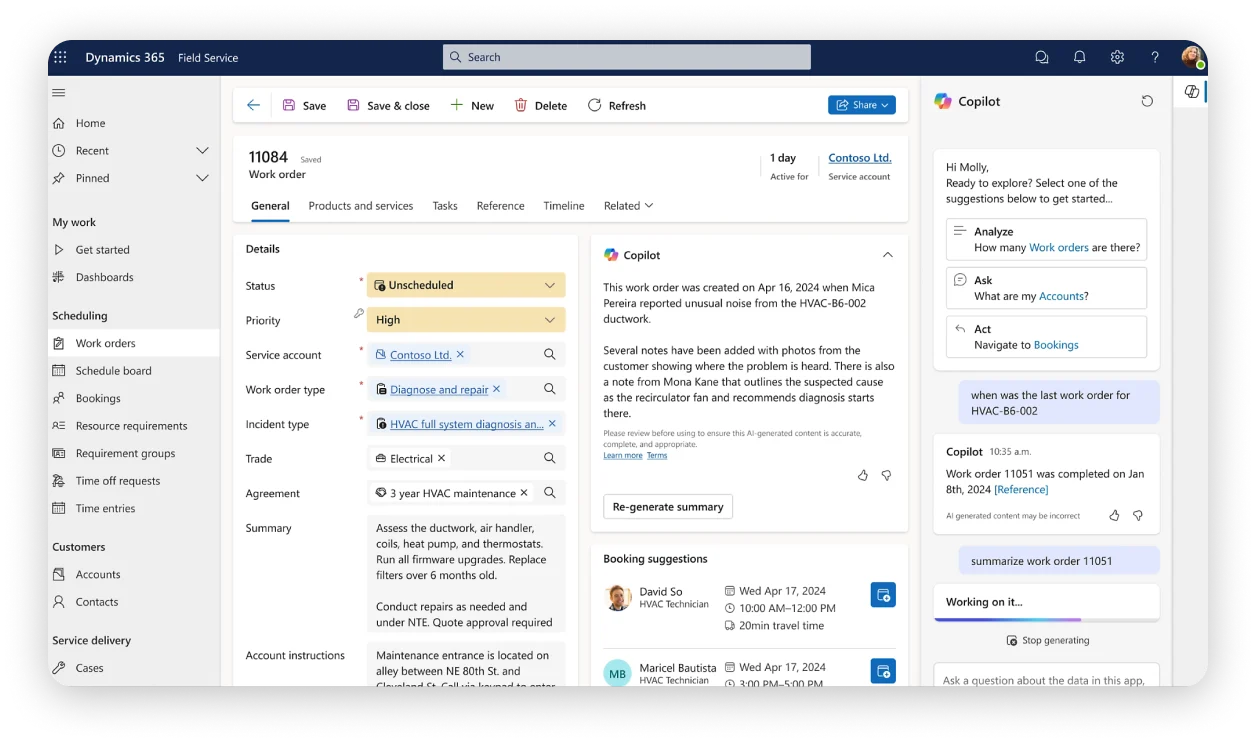
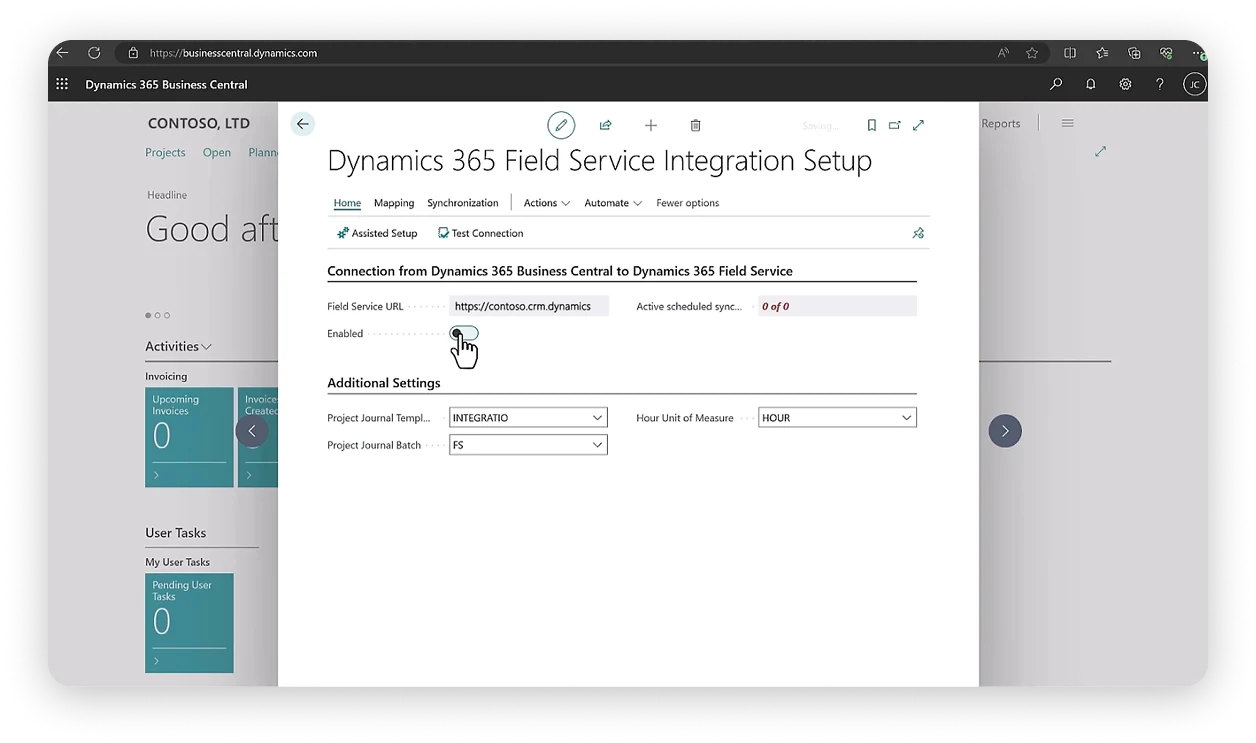
Enterprise field service management platform
Microsoft Dynamics 365 Field Service is an enterprise field service management platform that enables organizations to manage work orders, field technicians, customer assets, maintenance schedules, service agreements, inventory, and onsite operations from a single intelligent platform.
The solution combines AI-powered scheduling, mobile field service, predictive maintenance, IoT integration, remote assistance, asset management, and advanced analytics to help organizations move from reactive service to proactive service delivery.
Unlike traditional field service software that focuses primarily on scheduling technicians, Dynamics 365 Field Service connects field operations with customer service, asset management, inventory, finance, and enterprise resource planning to create a fully integrated service organization.
It is particularly suited for utilities, telecommunications, manufacturing, healthcare, energy, facilities management, engineering firms, public sector organizations, construction services, and organizations managing complex field operations.
Why Businesses Choose Dynamics 365 Field Service
Organizations implement Dynamics 365 Field Service when they want to:
- Improve technician productivity.
- Reduce equipment downtime.
- Deliver predictive maintenance.
- Optimize work order scheduling.
- Improve first-time fix rates.
- Gain enterprise-wide visibility into field operations.
Key Features
Comprehensive Field Service Capabilities
- Intelligent Work Order Management
Manage your general ledger, accounts receivable, accounts payable, fixed assets, cashbook, budgeting, tax, and bank reconciliation from one centralized system.
Business Benefit
Ensure every field service request is managed efficiently from initiation through completion.
- AI Powered Scheduling & Resource Optimization
Automatically schedule technicians based on skills, certifications, location, availability, travel time, workload, and service priorities using Microsoft’s intelligent scheduling engine.
Business Benefit
Reduce travel costs, improve technician utilization, and increase the number of jobs completed each day.
- Mobile Field Service
Provide technicians with a mobile application that delivers work orders, customer information, asset history, manuals, checklists, navigation, and offline capabilities.
Business Benefit
Empower technicians to complete jobs efficiently, even in locations with limited internet connectivity.
- Asset & Equipment Management
Maintain complete records of customer assets, warranties, maintenance history, inspections, service agreements, and installed equipment.
Business Benefit
Enable technicians to diagnose issues faster while improving long-term asset performance.
- Preventive & Predictive Maintenance
Schedule routine maintenance activities while leveraging IoT data to identify potential equipment failures before they occur.
Business Benefit
Reduce unplanned downtime, extend equipment lifespan, and minimize emergency service calls.
- Inventory & Parts Management
Track spare parts, tools, warehouse inventory, vehicle stock, and materials required for field service activities.
Business Benefit
Increase first-time fix rates by ensuring technicians have the right parts before arriving onsite.
- Remote Assist Integration
Generate customizable dashboards, financial reports, operational summaries, and performance analytics using real-time business data.
Business Benefit
Resolve issues faster while reducing unnecessary repeat visits.
- Advanced Field Service Analytics
Monitor technician productivity, service response times, first-time fix rates, equipment performance, maintenance costs, customer satisfaction, and operational KPIs.
Business Benefit
Support data-driven decisions that improve operational efficiency and service quality.
Common Business Scenarios
Is Dynamics 365 Field Service Right for You?
Dynamics 365 Field Service is ideal for organizations facing challenges such as:
Equipment Downtime Is Costly
Critical customer assets require proactive maintenance to minimize downtime and maintain operational continuity.
Technician Scheduling Is Inefficient
Dispatchers struggle to assign technicians manually while balancing skills, location, travel time, and workload.
Field Teams Lack Customer Context
Technicians arrive onsite without access to service history, maintenance records, warranties, or technical documentation.
Organizations Need Predictive Maintenance
Rather than waiting for equipment failures, businesses want to detect issues early using connected devices and operational data.
Leadership Needs Operational Visibility
Executives require real-time insights into technician utilization, service performance, maintenance costs, and customer satisfaction.
Business Benefits
Measurable Improvements Across Your Organization
Optimizes Technician Scheduling & Dispatch
Leverage AI-powered scheduling to assign the right technician at the right time, reducing travel and idle time.
Improves First Time Fix Rates
Equip technicians with asset history, parts availability, and expert guidance to resolve issues on the first visit.
Reduces Equipment Downtime
Enable proactive and predictive maintenance strategies that prevent failures before they disrupt operations.
Enables Predictive Maintenance Strategies
Leverage IoT-connected devices and operational data to detect potential failures and automate service responses.
Improves Customer Satisfaction
Deliver faster response times, transparent communication, and higher service quality across every engagement.
Increases Technician Productivity
Provide mobile tools, offline access, and real-time information that allow technicians to complete more jobs per day.
Connects Field Operations with Enterprise Systems
Integrate field service with finance, customer service, inventory, and ERP for end-to-end operational visibility.
Supports Enterprise Scale Service Organizations
Scale field operations across regions, teams, and service lines with a unified intelligent platform.
Why Excellium
Why Implement Dynamics 365 Field Service with Excellium?
Enterprise field service transformation requires more than deploying mobile applications. It involves redesigning service operations, integrating customer data, connecting assets, automating scheduling, and creating intelligent workflows that improve operational performance. At Excellium, we help organizations design field service environments that connect office operations, dispatch teams, technicians, customers, inventory, and enterprise systems into one seamless operation.
Field Service Assessment
We evaluate your current service operations, work order processes, maintenance strategies, dispatch workflows, technician utilization, inventory management, and reporting requirements.
Solution Configuration
We configure work orders, booking rules, service territories, technician profiles, inspections, maintenance schedules, customer assets, workflows, approvals, and security roles.
Microsoft Ecosystem Integration
We integrate Dynamics 365 Field Service with Dynamics 365 Customer Service, Dynamics 365 Finance, Business Central, Microsoft Teams, Power BI, Power Platform, Azure IoT, ERP systems, and third-party applications.
IoT & Predictive Maintenance Enablement
Where applicable, we help organizations integrate IoT-enabled equipment to support predictive maintenance, remote monitoring, automated alerts, and proactive service delivery.
User Training
We provide role-based training for dispatchers, field technicians, supervisors, maintenance planners, operations managers, and system administrators.
Ongoing Support & Optimization
Following implementation, Excellium continues to optimize scheduling strategies, reporting, maintenance workflows, integrations, and automation as your service organization evolves.
Frequently Asked Questions
Questions About Dynamics 365 Field Service?
What is Dynamics 365 Field Service used for?
Dynamics 365 Field Service helps organizations manage work orders, technician scheduling, maintenance operations, customer assets, inspections, inventory, and onsite service delivery through one intelligent enterprise platform.
Which industries benefit most from Dynamics 365 Field Service?
The solution is ideal for organizations in manufacturing, utilities, energy, healthcare, telecommunications, engineering, facilities management, construction, public sector, and any industry with complex field service operations.
Does Dynamics 365 Field Service support predictive maintenance?
Yes. When integrated with Azure IoT and connected devices, the platform can monitor equipment health, generate alerts, and automatically create work orders before failures occur.
Can technicians work offline?
Yes. The mobile application supports offline functionality, allowing technicians to access work orders, capture service information, and synchronize data once connectivity is restored.
Can Dynamics 365 Field Service integrate with Microsoft Teams?
Absolutely. It integrates with Microsoft Teams, Dynamics 365 applications, Power Platform, Azure services, Microsoft 365, and other enterprise business systems.
Can the platform manage customer assets and maintenance contracts?
Yes. Dynamics 365 Field Service maintains detailed records of customer assets, warranties, maintenance schedules, inspections, service agreements, and equipment history.
How long does implementation take?
Implementation timelines depend on organizational complexity, scheduling requirements, integrations, IoT capabilities, migration scope, and business process design. Excellium develops a phased implementation roadmap aligned with your operational objectives.
Build a Smarter Field Service Organization
Empower your technicians, reduce equipment downtime, optimize service operations, and deliver exceptional onsite customer experiences. Partner with Excellium to implement Microsoft Dynamics 365 Field Service and transform the way your organization delivers field service.