Excellium

Microsoft Dynamics 365

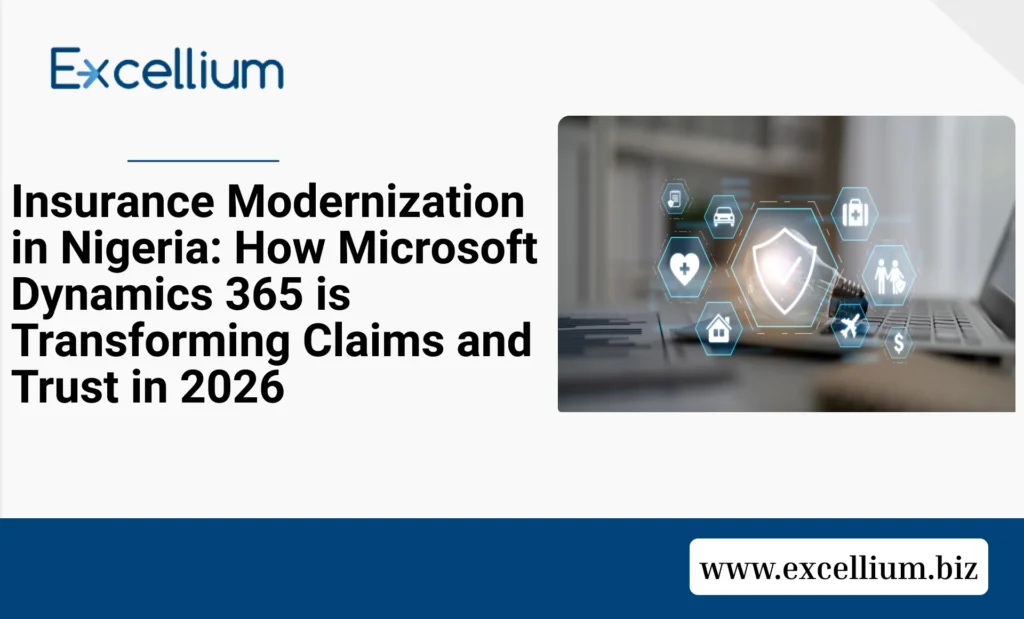
Digital security shield for insurance compliance and trust in Nigeria

How Microsoft Dynamics 365 Drives NIIRA 2025 Compliance and Claims Excellence in 2026

Picture an insurance broker in a busy office in Marina, Lagos. Their desk is buried under stacks of motor insurance policies, and a frustrated client is on the phone demanding an update on a three-week-old accident claim. In the background, the manager is worried about the upcoming July 30, 2026, recapitalization deadline, and the latest audit from the National Insurance Commission (NAICOM). This “manual chaos” has been the standard for years, but in 2026, the cost of staying old-school has become too high. With the full implementation of the Nigerian Insurance Industry Reform Act (NIIRA) 2025, the industry is moving from a “paper-first” to a “data-first” culture. At Excellium Business Limited, we help insurance firms move beyond manual headaches by implementing Microsoft Dynamics 365—the digital engine that turns slow processes into rapid, trust-building results. The New Currency of Nigerian Insurance: Speed and Transparency For many years, the biggest challenge for Nigerian insurers has been a “trust gap” with the public. Slow claims and confusing policy terms have made customers hesitant. However, the NIIRA 2025 mandate for a “digitized insurance value chain” is changing the game. Microsoft Dynamics 365 breaks down the “data silos” that cause these delays. By providing a single, 360-degree view of every policyholder, your team can see a client’s entire history—from their first premium payment to their latest inquiry—in one click. This transparency doesn’t just satisfy regulators; it builds the kind of brand loyalty that allows you to lead the market. How Dynamics 365 Solves the 2026 “Compliance Headache” The NIIRA 2025 and NAICOM’s new guidelines have raised the bar for capital requirements (₦15B for non-life; ₦10B for Life) and operational transparency. Insurance firms are now required to prove they have the systems in place to protect policyholders and settle claims within the 60-day legal window. Microsoft Dynamics 365 acts as your “Built-in Auditor.” It automates your premium collections and financial reporting, ensuring that every Naira is accounted for and compliant with the latest tax and NDPR data privacy standards. Instead of a frantic rush before a NAICOM visit, your reports are always ready, updated in real-time, and securely stored. Boosting Sales Performance in a Competitive Market The Nigerian market is more competitive than ever, especially with the rise of “Insurtech” startups. To stay ahead, traditional firms need to empower their agents with modern tools. Dynamics 365 provides your sales team with “Smart Guidance” through built-in intelligence. The system identifies which clients are likely to need additional coverage—such as suggesting life insurance to a long-time motor insurance customer. It also automates policy renewals, sending reminders to clients before their coverage expires. This ensures you never lose revenue to a “forgotten” renewal and helps your agents spend less time on paperwork and more time closing deals. The true test of any insurance firm is how it handles a claim. In 2026, a “good” experience isn’t enough; you need an “excellent” one. By automating the claims workflow, Dynamics 365 allows for faster verification and settlement. Imagine a client uploading a photo of a fender bender through a dedicated portal. Dynamics 365 instantly notifies the adjuster, checks the policy terms against the database, and flags any inconsistencies. This speed reduces administrative bottlenecks and ensures that payouts happen in days, not weeks, cementing your reputation as a reliable and dedicated partner. The Excellium Journey: Our 4-Step Success Path Choosing a world-class platform is important, but having a partner with 14 years of pedigree in the Nigerian market is what ensures success. We act as a catalyst for your growth through our proven engagement model: 1. The Scoping Session (Free): We audit your current policy and workflow to identify where your biggest “money leaks” are happening. 2. The Solution Blueprint: Our experts design a customized roadmap tailored to your specific niche—whether you focus on life, health, or general insurance. 3. Rapid Implementation: We deploy the system quickly, ensuring your records are in place and cleansed so you have data integrity from day one. 4. The Value-Add Phase: We provide localized training and support to ensure your staff is confident, and your firm sees a real return on investment. Your Next Step: Partnering for Success with Excellium Choosing the right platform is only the first step. Successful implementation and adoption require deep expertise and a partner who understands your unique challenges. We don’t just install software; we craft tailored digital transformation strategies. Our certified experts specialize in weaving Dynamics 365 into a cohesive solution that fits your existing workflows and ambitions. Ready to lead the league of modern insurance providers? Visit excellium.biz/get-started/ and book your free scoping session with an Excellium expert today.

How Microsoft Dynamics 365 Drives NIIRA 2025 Compliance and Claims Excellence in 2026 Read More »

Microsoft Dynamics vs. Sage ERP: The Ultimate Guide to Choosing the Best Option

Choosing the right Enterprise Resource Planning (ERP) solution is a pivotal decision for any business. An ERP system centralizes key functions such as accounting, operations, and resource management, ensuring efficiency and better decision-making. Two popular ERP options, Microsoft Dynamics and Sage ERP are frequently compared by organizations seeking a comprehensive business solution. This guide will explore the advantages and disadvantages of both platforms, highlight their key differences, and provide insights into selecting the best ERP solution for your business. Key Takeaways Overview of Microsoft Dynamics and Sage ERP Microsoft Dynamics Microsoft Dynamics is a versatile ERP and CRM platform that caters to businesses of all sizes. With its flagship product, Microsoft Dynamics 365, it offers cloud-based ERP solutions that integrate seamlessly with the Microsoft ecosystem. The platform is highly customizable and provides advanced analytics, making it a robust option for businesses with diverse needs. Sage ERP Sage ERP primarily focuses on small and mid-sized businesses. Known for its user-friendly interface, Sage specializes in accounting and financial management solutions, with notable offerings like Sage 200 Evolution and Sage 300. While it lacks the comprehensive functionality of Dynamics, it excels in delivering affordable and straightforward solutions tailored to specific industries. The Pros of Microsoft Dynamics and Sage ERP Pro 1: Integration Capabilities • Microsoft Dynamics: One of Dynamics’ greatest strengths is its seamless integration with the Microsoft ecosystem, including Office 365, Power BI, and Azure. This connectivity boosts productivity by creating a unified workspace for collaboration and reporting. • Sage ERP: While not as extensive, Sage ERP also offers integrations with popular accounting and business tools. It works well with industry-specific software and provides sufficient integration for smaller organizations without complex IT needs. Pro 2: Scalability • Microsoft Dynamics: Microsoft Dynamics is designed to scale with businesses of all sizes, from small startups to global enterprises. It provides advanced tools for managing growth and adapting to new operational challenges. • Sage ERP: Sage ERP is primarily built for small and mid-sized businesses. While it can accommodate moderate growth, its scalability is limited compared to Dynamics, making it ideal for businesses that don’t anticipate rapid expansion. Pro 3: Feature Breadth • Microsoft Dynamics: With advanced features like AI-driven analytics, real-time reporting, and CRM capabilities, Dynamics provides a comprehensive suite for managing complex operations and decision-making. • Sage ERP: Sage excels in financial management and accounting. Its advanced tools for budgeting, invoicing, and compliance make it a standout choice for businesses with straightforward needs in these areas. Pro 4: Customizability and Industry-Specific Solutions • Microsoft Dynamics: Dynamics offers high levels of customizability, allowing businesses to tailor the system to their specific workflows and industry needs. • Sage ERP: While less customizable, Sage compensates with industry-specific solutions for sectors like construction, distribution, and manufacturing, making it particularly valuable for niche markets. Pro 5: Ease of Use • Microsoft Dynamics: Dynamics has a more complex interface and requires training, but its integration with familiar Microsoft tools can ease the learning curve over time. • Sage ERP: Sage is user-friendly, with an intuitive design that caters to businesses without extensive IT expertise. Its simplicity makes implementation quicker and less resource-intensive. The Cons of Microsoft Dynamics and Sage ERP Con 1: Cost • Microsoft Dynamics: Dynamics is one of the pricier ERP solutions, with higher upfront and ongoing costs that may not be suitable for smaller businesses with tight budgets. • Sage ERP: Sage ERP is more affordable overall, but its lower price point comes at the expense of advanced features, which may limit its suitability for larger or more complex organizations. Con 2: Analytics and Reporting • Microsoft Dynamics: Dynamics excels in analytics, but its complexity can make accessing and interpreting data challenging for businesses without dedicated analysts or technical support. • Sage ERP: While Sage’s analytics are adequate for basic needs, they lack the depth and AI-driven insights offered by Dynamics, which may hinder data-driven decision-making for larger businesses. Con 3: Scalability and Growth Limitations • Microsoft Dynamics: While highly scalable, implementing Dynamics for larger organizations can involve significant time and cost investments, which may deter smaller businesses from fully leveraging its capabilities. • Sage ERP: Sage’s scalability is limited, making it less suitable for businesses that anticipate rapid growth or require advanced operational capabilities for global operations. Con 4: Integration Challenges • Microsoft Dynamics: Dynamics offers excellent integration within the Microsoft ecosystem but may struggle to integrate seamlessly with non-Microsoft systems or legacy software. • Sage ERP: Sage provides limited integration capabilities compared to Dynamics, which can restrict flexibility for businesses that rely on a diverse range of third-party tools. Key Comparison: Microsoft Dynamics vs. Sage ERP Categories  Microsoft Dynamics  Sage ERP Integration Seamless with Microsoft ecosystem  Integrates with select tools; less cohesive Scalability Highly scalable, Suitable for enterprises  Best for small to mid-sized businesses  Ease of Use Complex but familiar to Microsoft users Intuitive and user- friendly  Analytics and Reporting  Advanced AI-powered analytics and real-time insights  Basic analytics suitable for standard needs Cost Higher upfront and ongoing costs More affordable for smaller budget How to Choose the Best ERP Solution for Your Business Selecting between Microsoft Dynamics and Sage ERP requires a thorough understanding of your business’s needs. Here’s how to make an informed decision: 1. Assess Your Budget If cost is a primary concern, Sage ERP’s affordability makes it the better choice. However, for businesses willing to invest in long-term scalability and advanced features, Microsoft Dynamics offers greater value. 2. Evaluate Business Complexity Businesses with diverse operations, multiple locations, or global reach will benefit from Dynamics’ scalability and comprehensive capabilities. Smaller businesses with straightforward accounting needs may find Sage ERP more than sufficient. 3. Consider Industry Requirements Both platforms cater to specific industries. Sage ERP’s industry-specific solutions may be a better fit for niche markets, while Dynamics offers broader functionality. 4. Prioritize Ease of Use For businesses with limited IT resources, Sage’s simplicity is an advantage. Dynamics, while powerful, require more time and expertise to implement effectively. 5. Future Growth Plans If

Microsoft Dynamics vs. Sage ERP: The Ultimate Guide to Choosing the Best Option Read More »